You think you know your collection, until you actually count it. A boxcar you were sure you owned twice turns out to be one. A locomotive you meant to sell is still on the shelf. Inventory Audits turn that nagging "is it all here?" feeling into a five-minute walk down the aisle.
The problem
Most of us track our collection carefully on paper or in an app, then never check it against the real shelves. Doing it by hand is miserable: you read a label, hunt for the matching line item, tick it off, and repeat a few hundred times. So we don't and the records and the reality quietly drift apart. That's a problem the day you need a current list for insurance, an estate, or a sale.
What we built
Inventory Audits reconcile your physical items against the line items you already track by count, not just by checkmark. You scan your shelves any way that's convenient, and the audit tells you precisely what matched, what's missing, and what turned up that it didn't expect. No spreadsheets, no manual cross-referencing.
How it works
- Pick what to audit. From Inventory → Start new audit, choose your scope: All pieces, A collection, A storage location, or A set I own. A live Preview shows the expected units and distinct SKUs, and you can fine-tune which item statuses count as physically present (the defaults cover what you own and have on-site).

Snapshot the manifest. Starting the audit freezes a manifest of everything that should be in scope and becomes your reference list for the walk-through.
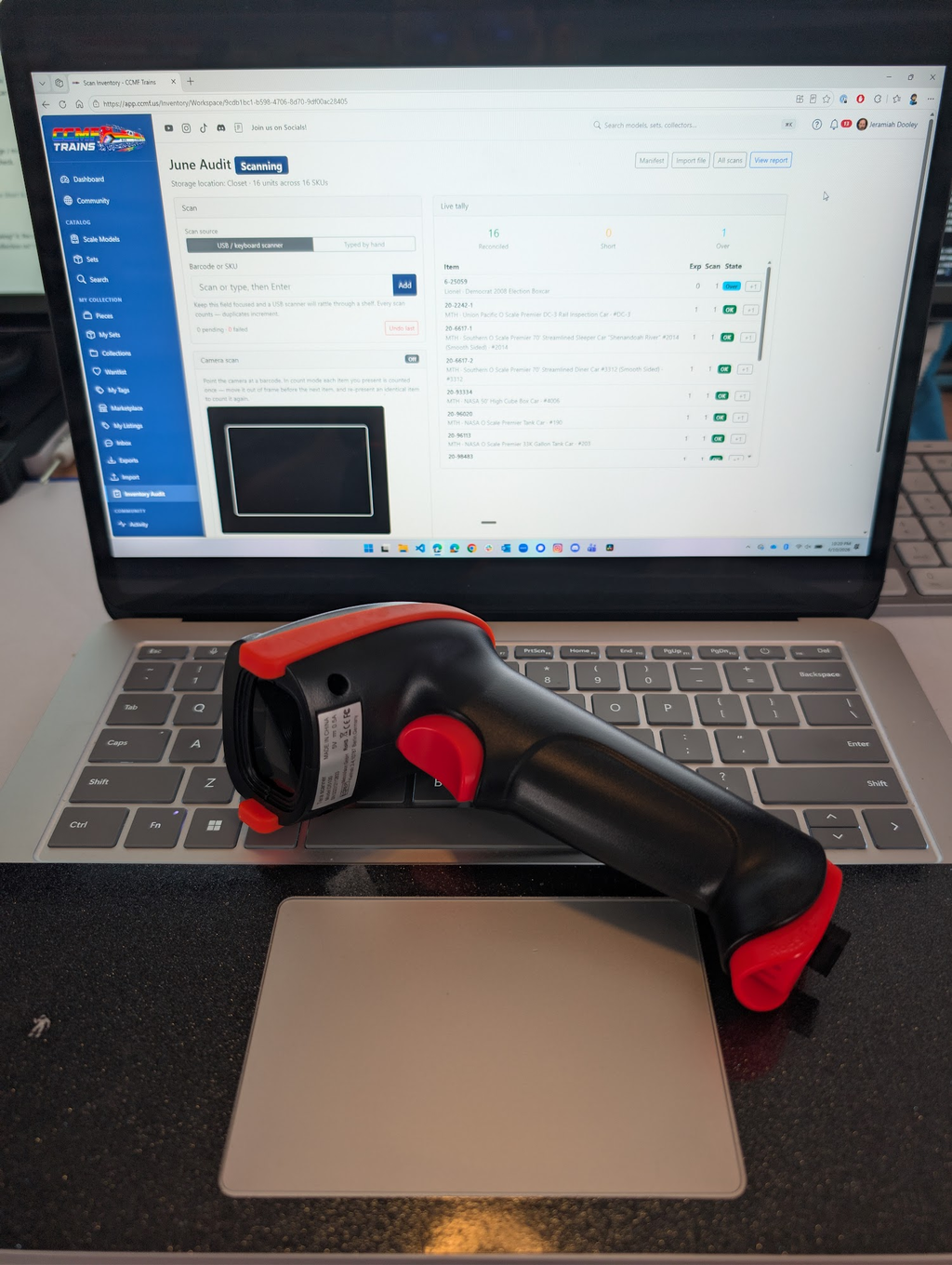
Scan your shelves. In the workspace, scan with a USB / keyboard scanner, your device Camera, or Typed by hand. Keep the input focused and a hardware scanner will fly through a shelf ! Every scan counts, and duplicates increment the tally. A Live tally updates as you go, and Undo last fixes a fumble.

Or import a file. Already scanned to a text file at the bench? Upload a
.txtor.csvwith one barcode per line. Need to state a quantity? Write6-29142, 3. Importing the same file twice is blocked so you can't accidentally double-count, and any import can be undone as a batch.Read the report. When you finish, you get four buckets:
- Reconciled: owned count equals scanned count. ✅
- Short / not found: you expected more than you scanned: your shrinkage / misplaced list.
- Over / extra: you scanned more than expected: items to add, or to recheck.
- Unknown: barcodes that match no catalog item yet.

What it means for you
This is the difference between thinking your records are right and knowing it. Reconcile before you renew insurance and you've got a current, defensible list. Prepping a sale or handing a collection on? You know the real count. And if something's genuinely missing, you find out now, not years later.
Tips & good to know
- Quantities are real. Three of the same SKU reconcile as three. The audit compares counts, not just presence.
- Scope smart. Sets can live across several locations; to reconcile a whole set in one pass, audit All pieces rather than a single shelf.
- Fix it from the report. Mark missing, Add to collection, and Re-resolve unknowns (after you've claimed or added a barcode in the catalog) update your records without leaving the page.
- Keep a copy. Download the CSV or print the report for your records.
What's next
We're continuing to sharpen the on-the-go experience and to surface trends across audits over time. For now, the full workflow (scan, reconcile, triage) is ready to use.
Ready to try it? Head to Inventory → Start new audit. Walk one shelf and see how fast it goes — then skim the release notes for the short version.