Label Photo Scan — September 2026
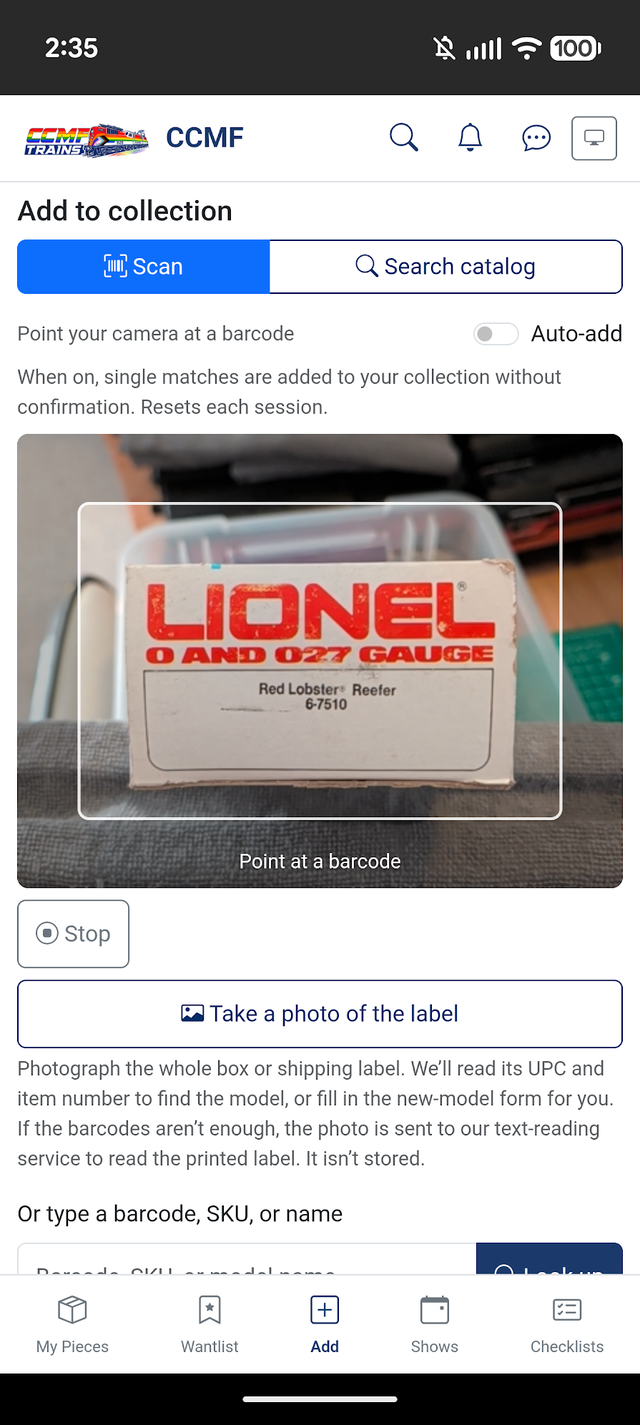
No barcode on the box? You can still scan it. Take one photo of the label and we read the printed item number, manufacturer and details, then find the item in the catalog or fill in the create form for you. When the box does have barcodes, we read every one of them from the same photo.
✨ New
- Scan boxes that have no barcode. Plenty of model-train boxes only print the item number, and some barcodes are torn, faded or hidden under a price sticker. Photograph the label anyway: we read the printed manufacturer, item number, product name, road name and number, and scale, then look the item up in the catalog for you.
- Take a photo of the label. On the Add screen, tap Take a photo of the label and photograph the whole box or shipping carton. Every barcode in the picture is read at once, both the UPC and the item-number barcode, so there's no lining up one code at a time.
- Finds the item, or links its barcode. If the item is already in the catalog, you land right on it. If the catalog has the model but not its UPC, you're asked to confirm before the barcode is linked, so the next collector's scan just works.
- A head start on new items. Not in the catalog yet? The create form opens with the manufacturer, item number, UPC, name and road details already filled in. The model type the label points to is marked Suggested from the label, and you still choose it yourself.
- Knows a set when it sees one. Labels that say "SET" or "2 PACK" put Create set first, so a multi-pack doesn't end up as a single model.
⚡ Improved
- Tells you when a barcode didn't scan. If we can see the UPC's printed digits but the barcode itself wouldn't read, we still look the item up by its item number and tell you what happened. Take a closer, sharper photo of the barcode to link it.
- Scale only when the box says so. The scale is filled in only when the label prints it, so the form isn't filled in with a guess.
- Older Lionel boxes. On classic Lionel UPCs the item number (for example 6-14588) is worked out from the barcode itself. The form reminds you to check it matches the box.
🔒 Security & privacy
- Nothing is added without you. Anything read from a photo is only a suggestion. Every link or new item still waits for you to confirm it, and we remind you to check the details against the box.
- Your photo isn't kept. Barcodes are read on your phone. Only when the printed text is needed is a smaller copy of the photo sent to our text-reading service, with its hidden location details removed first. CCMF Trains doesn't save or log it. See the Label photos section of our Privacy Policy for the details.
👉 Try it: On your phone, tap Add → Take a photo of the label, and start with a box that has no barcode. · Read the full story